Page 1 of 1
msn messenger/yahoo messenger

Posted:
Sun Nov 07, 2004 2:25 pmby clennonuk
can anyone tell me how to stop msn/yahoo messenger signing automatically on start up
cheers clennonuk

Posted:
Sun Nov 07, 2004 2:50 pmby lilpinkflower
For MSN messenger.....
tools>options>general
then uncheck the boxes for sign-in... at the top.
I haven't got Yahoo installed at the mo.... it will be something similar though

lilpink x
Posted:
Sun Nov 07, 2004 3:17 pmby Cactus
You can also REMOVE apps from starting up at boot-up by removing them from the START-UP folder.
When in the Folder,right click an ICON you want to remove from the Startup folder and click DELETE.
On WinXP the Startup Folder is located here:
C:\Documents and Settings\USER\Start Menu\Programs\Startup
Cactus
Posted:
Sun Nov 07, 2004 3:41 pmby lilpinkflower
i just looked at mine.... n I have NO programs in my Startup folder

.. so then i looked in 'Jane' rather than 'All users' and there's none in there either
*plays twilight zone music*
... there is however lots of programs all around the start up folder... hmmmm are those the ones to delete ?

hehehe
lilpink x
Posted:
Sun Nov 07, 2004 3:55 pmby Cactus
If your running WinXP your STARTUP FOLDER is located here...
START>Documents and Settings\USER\Start Menu\Programs\Startup
USER being your name...
Anything that STARTS up should be in the FOLDER... not around it.
FYI...this only prevents it from Starting up at BOOT.
It does not DISABLE the program.
Cactus
Posted:
Sun Nov 07, 2004 3:58 pmby lilpinkflower
mine are around it.... should I be worried ?

hehehehe
lilpink x
Posted:
Sun Nov 07, 2004 4:02 pmby Cactus
Hmm...so they reside where? In the Program Folder?
These are APPS that run at STARTUP....is that right?
Cactus
Posted:
Sun Nov 07, 2004 4:18 pmby lilpinkflower
Hmmmm no they are not the programs that run at startup
Heres a shot of them around my startup folder
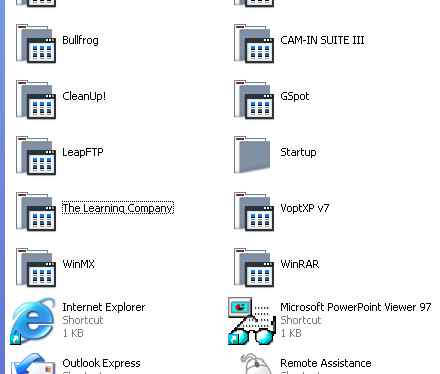
.... apparently I have NO programs to run at startup lolz
Here's inside my folder

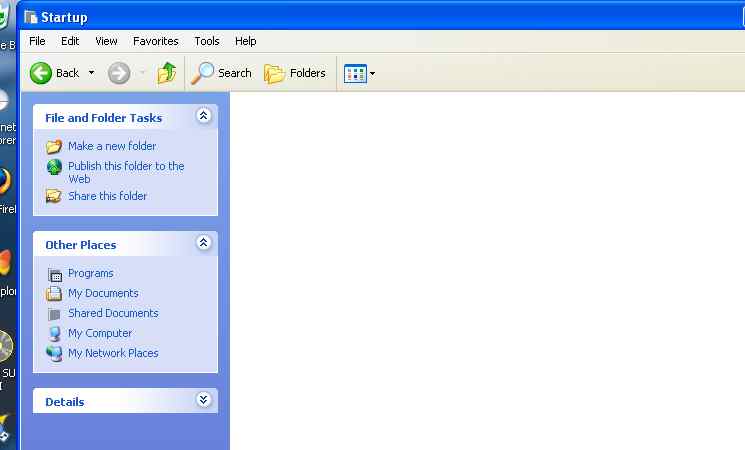
lilpink x
Posted:
Sun Nov 07, 2004 4:29 pmby Cactus
Not everything gets placed in the windows startup folder, its use is slightly inefficient.
MSN Messenger is an example, you define whether it starts at startup within the program itself, via a checkbox. It wont appear in the windows startup folder though.
Checking tools->options in most programs usually provides you with some sort of "turn on and off" functionality for starting automatically or not.
Cactus
Posted:
Sun Nov 07, 2004 4:32 pmby lilpinkflower
Well mine is very inefficient lol

Oh well.... i shouldn't be worried then ? Everything works fine

lilpink x
Posted:
Sun Nov 07, 2004 4:34 pmby Cactus
Yup...when you start having problems then worry...not before...
Cactus